

Operation
Access Tech Tips: Operation
After installation is complete, all the system's components need to be tested. Apply power to the system and observe the following signs of normal operation:
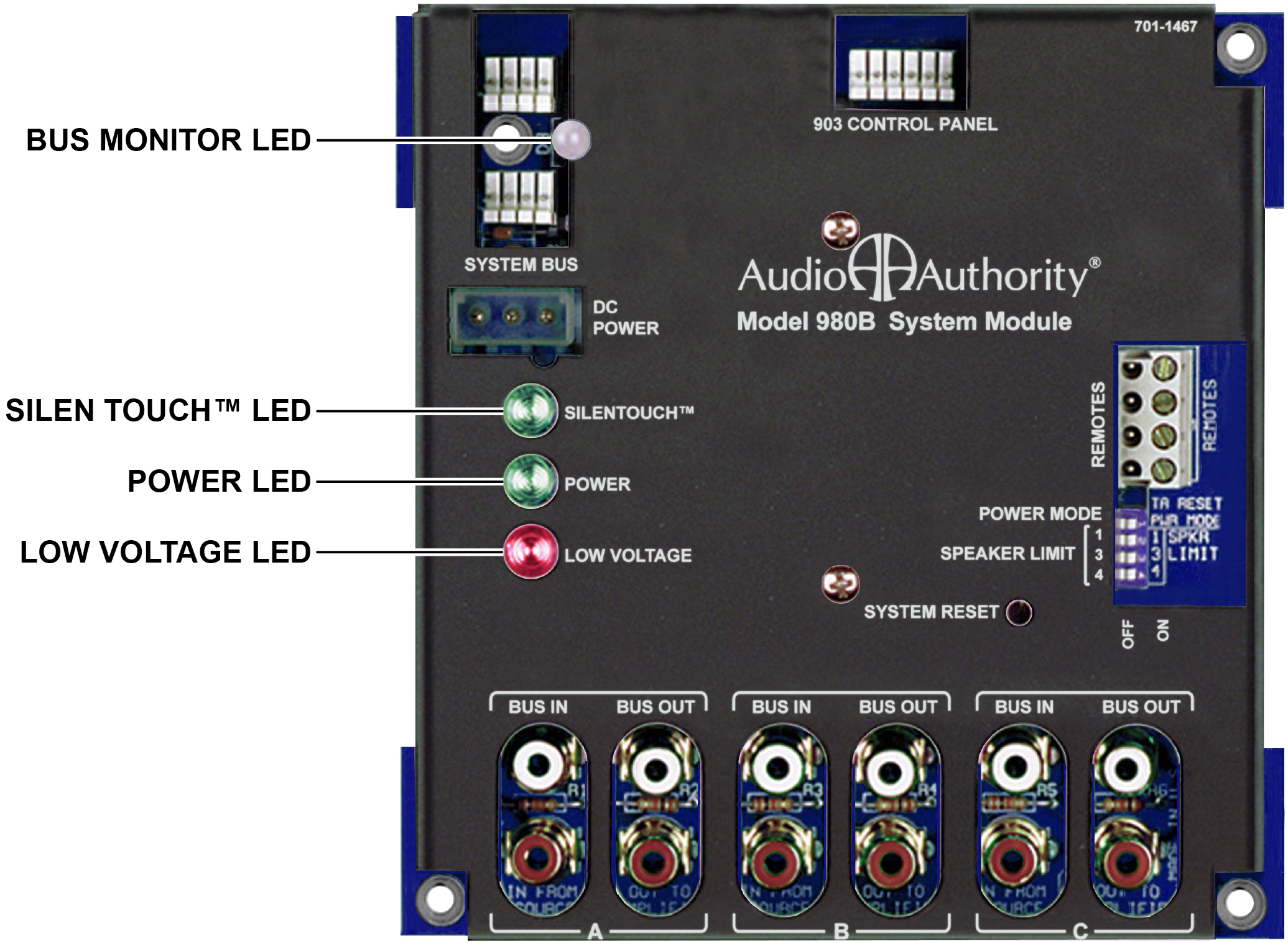
- The green SilenTouch™ LED is lit on
- The green Power LEDs on the switching modules and the 980 are slowly blinking.
- The red 980 Low Voltage LED is not lit, or very dim.
- For the moment, ignore the color of the clear LED marked “Bus Monitor” on the 980. Later, when product selections are made, you will notice that the Bus Monitor LED flickers orange. This orange flicker is normal. It merely indicates that “traffic” is present on the bus.