
Series 1500 Indicators
How to Read Indicator Lights for Series 1500 Intercom Systems
The LED indicators have the following meanings:
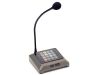 1500
1500
Counter Stations- All LEDs off with power connected = Ready state (normal)
- All LEDs flashing in regular patterns across keypad = No communication with other 1500 Series equipment
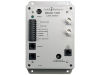 1520
1520
Lane Stations- LED solid = Open line of communication with counter station (normal)
- LED flashing rapidly = Ready state (normal)
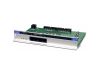 1515
1515
(AV System HUB)
Counter Station Card- LED solid = Open line of communication with counter station (normal)
- LED flashing rapidly = Ready state (normal)
 1516
1516
(AV System HUB)
Lane Card- LED solid = Open line of communication with counter station (normal)
- LED flashing rapidly = Ready state (normal)
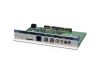 1517 and 1517SD
(AV System HUB)
System Hub Card- LED flashing long on short off = Ready state (normal)
- LED flashing in patterned sequence = System is processing information, such as a firmware update
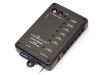 1509SD
Mini Audio Hub- Same indications as Counter/Lane/System LEDs in Hub Cards above